Archive

标签为 ‘Telemetry’的文章

Server Telemetry Deployment

上一篇总结了SONiC Switch Telemetry的方法:Sonic Telemetry Deployment,由于测试RDMA时不仅需要监控交换机,还要监控服务器,因此此篇就是在原有架构基础之上融入Server测的相关监控。Server测主要通过node exporter采集本地信息,然后吐给Prometheus,本地信息主要包含如下信息:

  • 支持RDMA相关的各种硬件Counter信息(CNP/ECN、重传、QP 状态等),专有计数
  • 支持Ethtools中Per-Priority相关的counter,这个是通用计数

另外更新之前自动生成配置的shell脚本,覆盖服务器这边的配置。

完整阅读

Sonic Telemetry Deployment

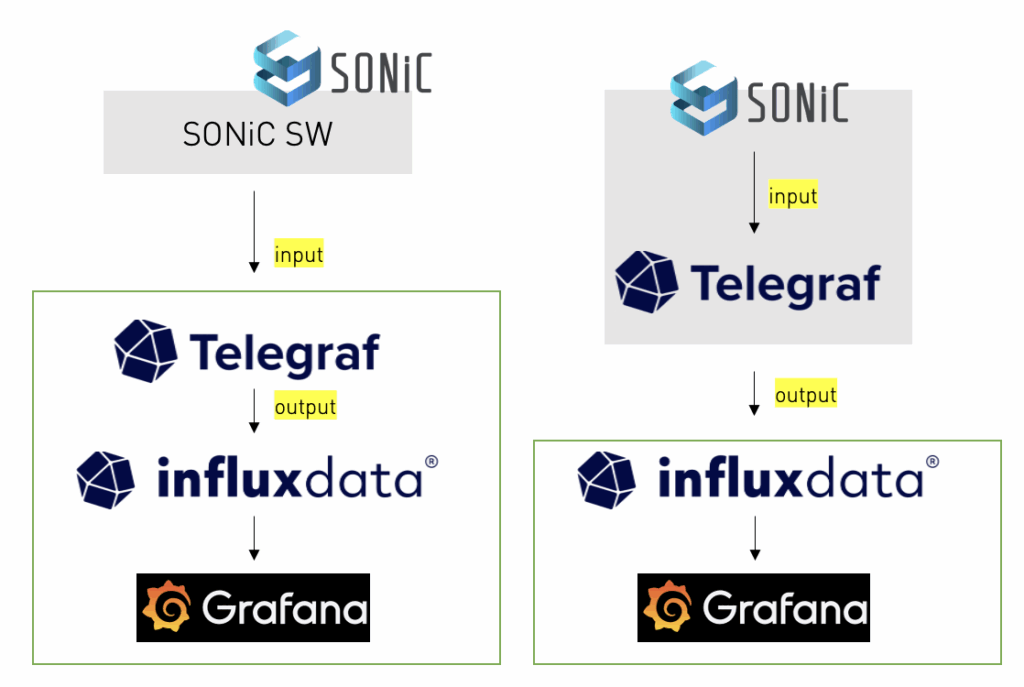
之前在老东家做TME时,整理过IOS XR相关的Telemetry,比如:Telemetry Solution Demo with IOS XR,也研究过 Telemetry Receiver by UDP+KV-GPB。但对Sonic Switch一直没搞过,一是Sonic是基于redis数据库的,对openconfig支持的不好,另外之前用的思科开源的pipeline很久没更新了,应该是被废弃了。2024年整理过Sonic + Telemetry,那时用的是Telegraf作为中间件,而且为了灵活,在SONiC上安装Telegraf的container,但这个方案真正实施起来有些繁琐,不如直接在服务器上部署Telegraf,当时很忙,也没时间整理,时间长了,细节就忘记了。

这次正好又面临可视化需求,因此重新梳理了架构,这次不再使用Telegraf+influxdata,而是采用gnmic + prometheus的方案,gnmic是openconfig开发的,而且在github上更新频繁。代码内容,可以查看:https://github.com/yongpro/sonic-telemetry

另外更新了Server Telemetry,具体看这篇总结:Server Telemetry Deployment,是在现有架构基础之上扩充的。

注意:整个方案会不断迭代和优化,因此文章原始内容我可能不一定会跟着优化而修正,我只是给自己作总结。如果需要参考,请过完整个文档。另外部署Telemetry平台,建议在本地局域网,避免数据传输延迟导致数据不正确。

完整阅读

Telemetry Receiver by UDP+KV-GPB

In the article, only show as follow (because easy to show how to work):

Protocol: UDP; Port: 5234

Encoding: KV-GPB

For more detailed information, you can reference my colleague’s GitHub, which includes more examples, e.g GRPC.

AlexFengCisco / Telemetry_Receiver

GRPC Update Info:

If use GRPC not TCP/UDP, that will have standard function, you will not need to write “DECODE_FN_MAP…”, function will auto generate, direct to use. Simple list steps:

  1. Get GRPC protobuf (e.g “mdt_grpc_dialout”) from cisco / bigmuddy-network-telemetry-proto
  2. Install/use compile tools, suggest install python virtual env, you can reference 在MacOS中部署Python虚拟开发环境
(telemetry-protocol) [root@telemetry telemetry-protocol]# python -V
Python 3.6.8
(telemetry-protocol) [root@telemetry telemetry-protocol]# easy_install pip
(telemetry-protocol) [root@telemetry telemetry-protocol]# pip install grpcio
(telemetry-protocol) [root@telemetry telemetry-protocol]# pip install protobuf
(telemetry-protocol) [root@telemetry telemetry-protocol]# pip install grpcio_tools
(telemetry-protocol) [root@telemetry telemetry-protocol]# python -m grpc_tools.protoc -I. --python_out=. --grpc_python_out=. cisco_grpc_dialout.proto
(telemetry-protocol) [root@telemetry telemetry-protocol]# ls -l|grep cisco
-rw-r--r--.  1 root    root       2695 Aug 10 16:16 cisco_grpc_dialout_pb2_grpc.py   #generated
-rw-r--r--.  1 root    root       3805 Aug 10 16:16 cisco_grpc_dialout_pb2.py   #generated
-rw-r--r--.  1 root    root        485 Aug 10 16:15 cisco_grpc_dialout.proto   #proto file  
Follow all file if you need grpc protocol:
[root@telemetry grpc-dailout]# ls -l
total 36
-rw-r--r--. 1 root root  2695 Aug 10 16:16 cisco_grpc_dialout_pb2_grpc.py #Contains the server Stub class and the client Stub class, as well as the service RPC interface to be implemented.
-rw-r--r--. 1 root root  3805 Aug 10 16:16 cisco_grpc_dialout_pb2.py #message serialization classes
-rw-r--r--. 1 root root   484 Aug 10 15:36 mdt_grpc_dialout.proto 
-rw-r--r--. 1 root root  3722 Aug 10 16:11 service_grpc_dialout_no_tls.py #service python
-rw-r--r--. 1 root root 19220 Aug 10 15:58 telemetry_pb2.py  #decode gpb-kv messages, generate as below
grpc-dailout.zip

Install Protobuf of python version

完整阅读

Telemetry Solution Demo with IOS XR

I put a telemetry demo to youtube at last year, but no more time summary… now I summaried in the article, will help you to easy build up the solution. Due to original testbed had changed, so follow some info maybe change, but all procedure should same. And XR configuration file is original. Demo video at this link:

Install Grafana and Influxdb by Docker

docker run -d -v grafana-storage:/var/lib/grafana -p 3000:3000 grafana/grafana:5.4.3
docker run -d --volume=/opt/influxdb:/data -p 8080:8083 -p 8086:8086 tutum/influxdb

Install Pipeline

git clone https://github.com/cisco/bigmuddy-network-telemetry-pipeline.git

Config Pipeline

完整阅读

How To Get Telemetry sensor path for show cmd on IOS XR?

When we want to collect some show information by Telemetry, we will face the 1st question that how to find the correct/resolved sensor path. The first step often traps us. Is there any good way to easily find the sensor path? The answer is “Yes”. I had summarized a way that can help you quickly find the sensor path.

Before read the article,there is a file that mapping between YANG and Sensor Path in XR, you can check by keyword(e.g fan, cpu and so on) first, if not found, then check my article.

RP/0/RP0/CPU0:XTC#run
Tue Jan 22 06:58:56.512 UTC
[xr-vm_node0_RP0_CPU0:~]$cd /pkg/telemetry/mdt/protogen
[xr-vm_node0_RP0_CPU0:/pkg/telemetry/mdt/protogen]$ls
yang_to_schema.txt
[xr-vm_node0_RP0_CPU0:/pkg/telemetry/mdt/protogen]$
yang_to_Schema.txt has all yang path to xml schema path maps. https://github.com/AlexFengCisco/Telemetry_Receiver

完整阅读
blonde teen swallows load.xxx videos